
Affiliate disclosure: This page contains an affiliate link to InterServer. If you buy through it I may earn a commission at no extra cost to you. Every figure below comes from my own invoices and screenshots; no vendor supplied numbers or reviewed this page. These are my costs, not a price list.
$12.99 is what it cost to start this site: $6 for the first month of an InterServer VPS and $6.99 for the first year of the domain liuqiangwujinjidian.com. That is a starting figure, not a year of hosting. If the monthly VPS price stays at $6, the first-year baseline for server plus domain is $78.99 — about $6.58 a month.
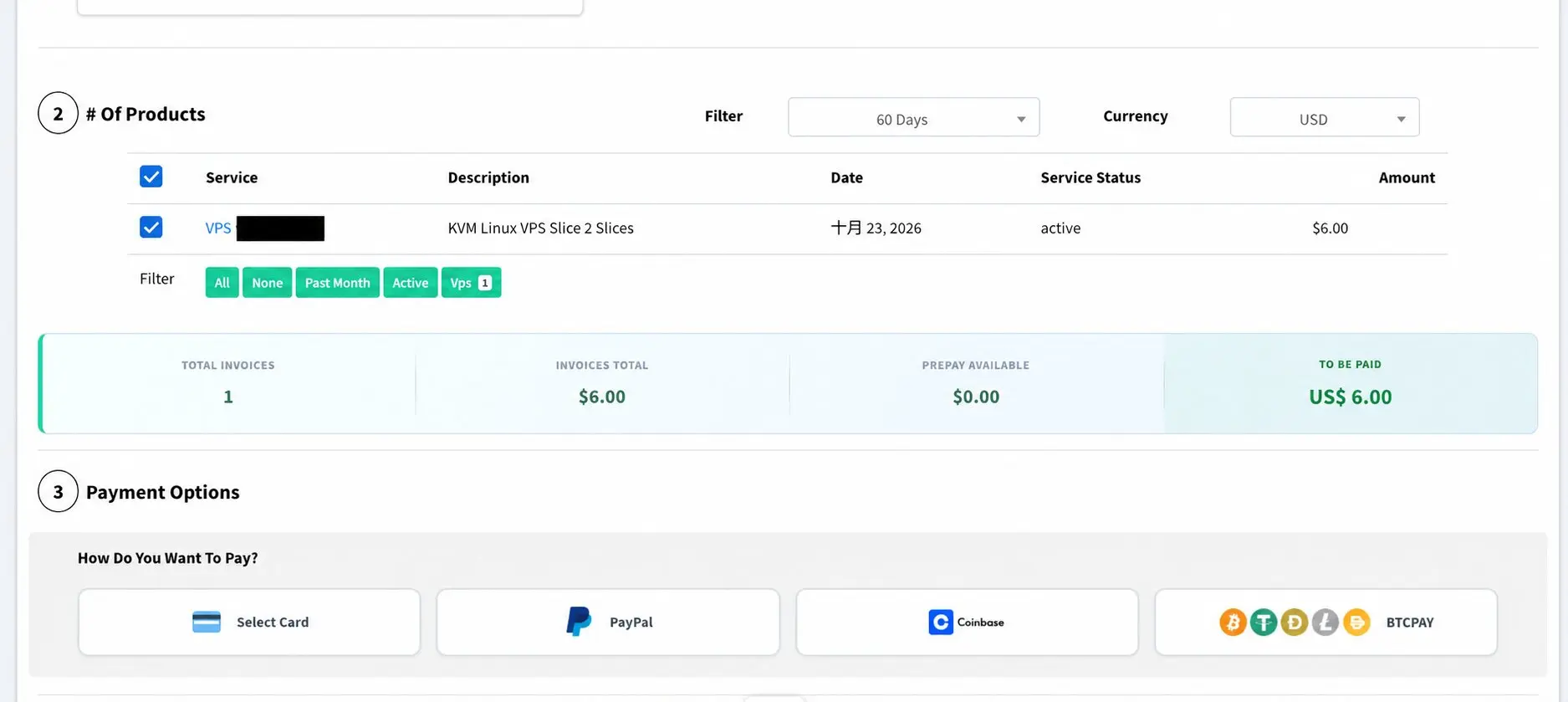
What else can a self-hosted WordPress site cost beyond a server and a domain? Here is my own purchase record, including a “free” trial that billed me.
My cost list
| Item | My cost | Note |
|---|---|---|
| InterServer VPS | $6/month | KVM Linux VPS Slice, 2 Slices |
| Domain, first year | $6.99 | Renewal price must be checked separately |
| WordPress core | Free | Hosting, domain and some themes/plugins are not |
| Namecheap Stellar trial | $26.88 charged, later refunded | Auto-renewal disabled; net spend $0 |
| First-year baseline | $78.99 | Assumes 12 months at $6/month plus the domain’s first year |
Why $12.99 and $78.99 are different questions
$12.99 is cash out in the first month. $78.99 is a budget: $6 × 12 = $72 for the server, plus $6.99 for the domain’s first year. It is not a settled annual invoice, and it excludes paid themes, plugins, backups and hired help. Confusing these two numbers is how “I built a site for $12.99” turns into an unpleasant surprise eleven months later. What Is a VPS? Domain, Hosting and WordPress Explained From My Own Setup untangles the domain / VPS / WordPress split.
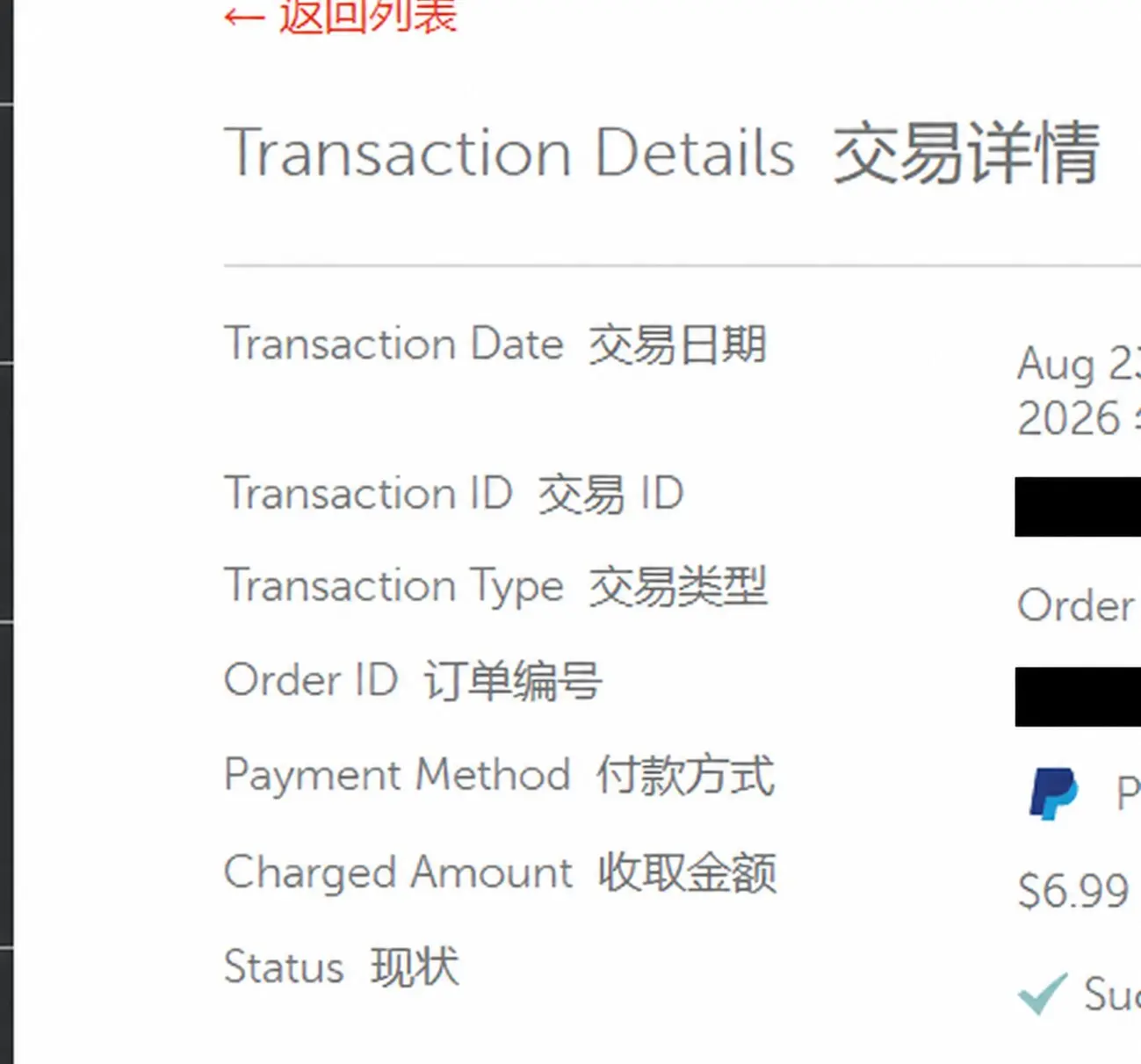
The $26.88 charge after a “free” trial
I tried Namecheap’s Stellar shared hosting with a free first month. In the second month I was charged $26.88. I requested a refund and turned off auto-renewal; the refund went through and the net cost of that trial was $0. The lesson is not that the trial was a scam — it is that “free first month” and “no charge later” are different statements. Before starting any trial, check the renewal amount, the renewal date, where auto-renewal is switched off, and whether the refund requires a support request.
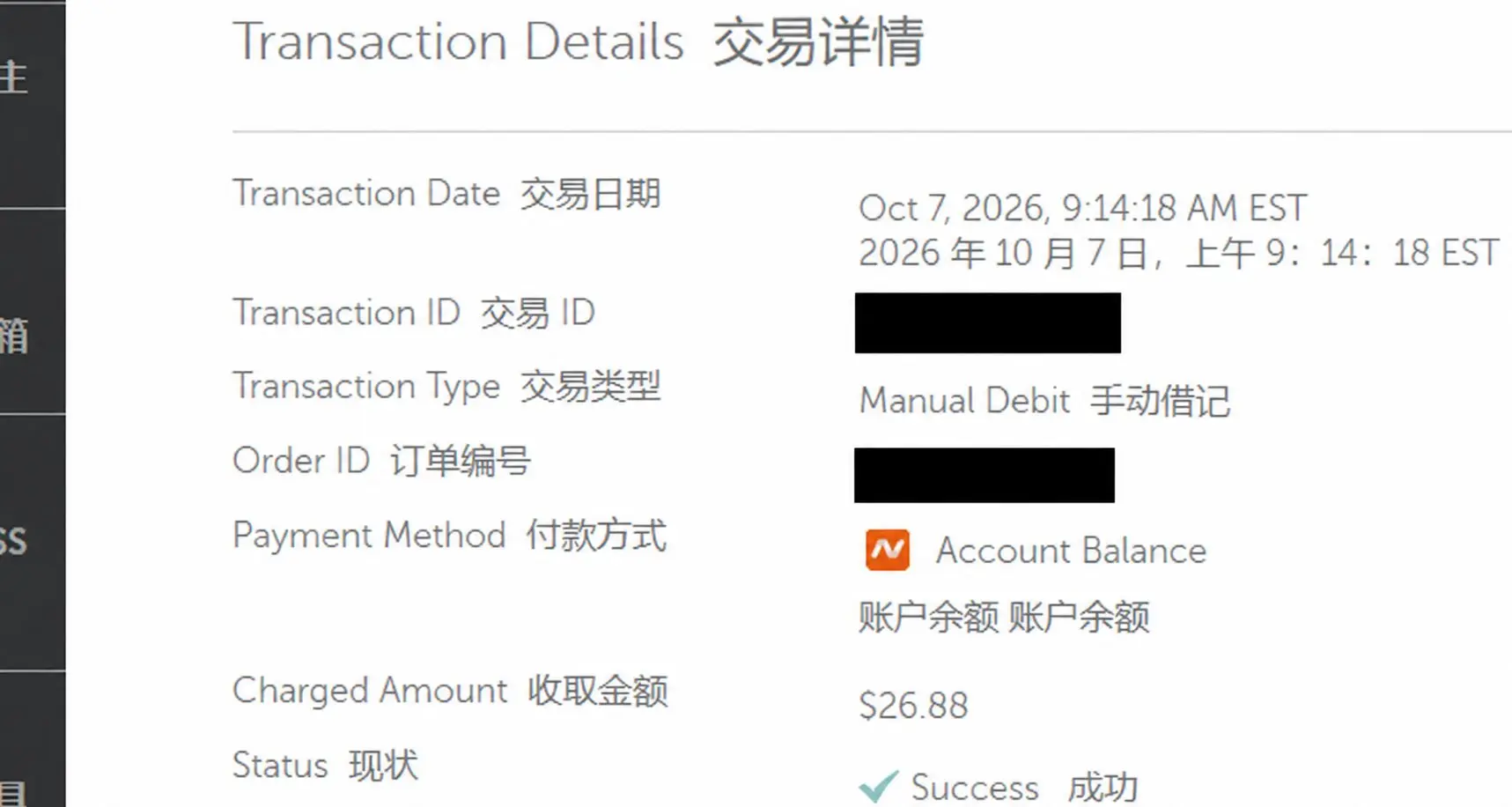
Do you need shared hosting as well as a VPS?
No. A VPS already provides the server environment; shared hosting is an alternative way to host a site, not a required add-on. I tried it out of curiosity and it produced the one billing mistake in this record. If you already have a VPS, spend that money on backups instead.
Three products, three jobs
| Product | What it does |
|---|---|
| Domain | Lets visitors find the site through a memorable address |
| VPS | Runs the site; you configure and maintain the environment |
| Shared hosting | Another hosting environment; suitability depends on the plan and your needs |
Frequently asked questions
How much does a WordPress site cost for a year?
On my numbers, $78.99 for the first year’s server and domain baseline. That assumes $6/month for twelve months and $6.99 for the domain’s first year, and excludes everything else. It is a budget, not a bill I have already paid in full.
Will the domain renewal price go up?
I have not confirmed the renewal price for my domain, so I will not quote one. Look up the renewal rate rather than reusing the promotional first-year price in next year’s budget.
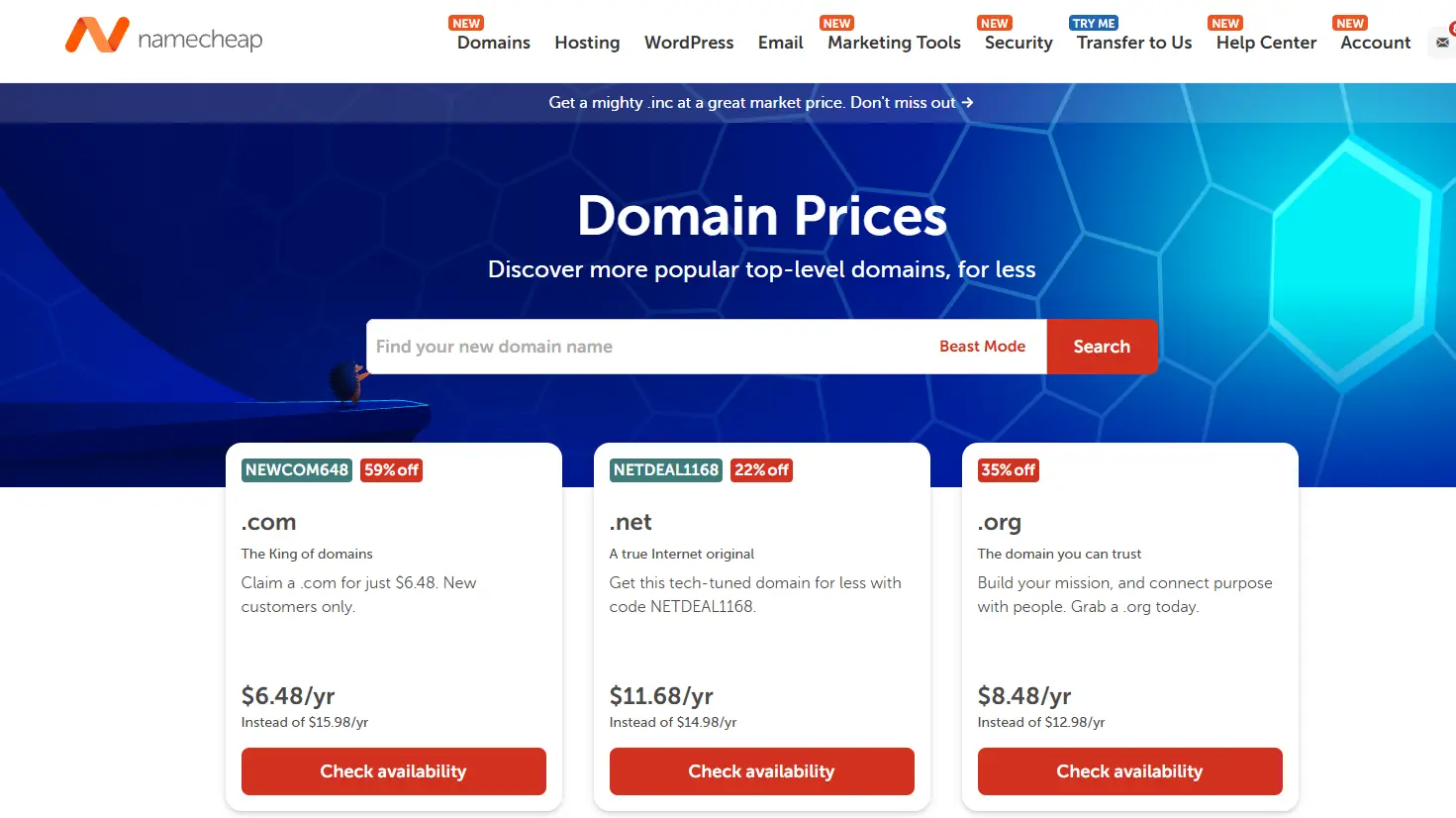
The registrar’s pricing page below is a useful illustration: each extension has its own promotional first-year price and coupon conditions. It shows why the banner price and the renewal rate are different numbers, but it is neither my invoice nor a quote for next year.
Which costs are actually unavoidable?
A domain and some form of hosting. WordPress core is free; paid themes, plugins, backups and your own time are optional but real. Check each service’s own renewal setting — different services may have separate auto-renewal switches.
A cost worksheet to fill in before paying
The figures in this article are from my own invoices and should not be reused as your prices. This is the blank checklist behind them: no quoted amounts, no estimates, just the lines that tend to be forgotten until the second year. Fill it from the checkout page and your own card statement, then separate one-off from recurring before adding anything up.
| Line item | One-off or recurring | Where to verify it |
|---|---|---|
| Domain, first year | One-off at purchase | Registrar invoice |
| Domain, renewal | Recurring, usually yearly | Registrar renewal price, not the promo price |
| VPS, introductory period | Paid up front for a fixed term | Checkout page and the term length |
| VPS, renewal rate | Recurring | Provider renewal terms |
| Trial that converts to a paid charge | One-off, easy to miss | Payment history and the trial end date |
| Backups / snapshots | Often recurring and optional | Add-on list in the provider panel |
| Taxes and currency conversion | Per payment | Card statement rather than the cart total |
Why the two headline numbers are different questions
“What do I need to start” and “what will twelve months cost” have different denominators: the first includes only the initial payment, the second includes renewal rates, add-ons and the trial that quietly converts. That distinction is also why the four things you are actually buying are listed separately from the bill. To see where each cost appears in the build order, use the eight-stage setup guide; to decide what to confirm before paying, the VPS buying checklist; and for what maintenance looked like after the invoice, the longer-term record of this $6 VPS. The timing sample measures something else and is not part of the cost calculation.
Where to read next
WordPress Site Setup in 8 Stages: From Domain to Launch walks through the eight setup stages, InterServer VPS for WordPress: What I Pay and What Broke covers what the $6 VPS has been like to maintain, and How to Choose a VPS for WordPress: A Checklist Before You Pay is a buying checklist rather than a price quote.