
Affiliate disclosure: This page contains an affiliate link to InterServer. If you buy through it I may earn a commission at no extra cost to you. Figures below are from my own invoices. This is an explanation of four things I confused as a beginner, not a product ranking.
A VPS is a server environment carved out by virtualisation, and it can run a WordPress site. But buying one does not include a domain, the WordPress software being set up for you, or someone to maintain it. I pay $6 a month for mine. When I started, I could not work out why there was also a thing called “shared hosting” and whether I had to buy that too.
Four separate things
| Thing | My own example | What it is responsible for |
|---|---|---|
| Domain | liuqiangwujinjidian.com | A memorable address so visitors can find the site |
| VPS | InterServer VPS | The server environment that runs the site |
| WordPress | The software this site uses | Managing posts, pages, images and other content |
| Control panel | BT panel on my server | A web interface for some environment, file and service tasks |
Once the site was live I had to recover a server password, install PHP extensions, and diagnose a 502 after a PHP upgrade — which is when the difference between “having a server” and “having a maintained site” became concrete. That incident is written up in WordPress 502 After a PHP Upgrade: Tracing ‘Permission denied’ in the Nginx Log.
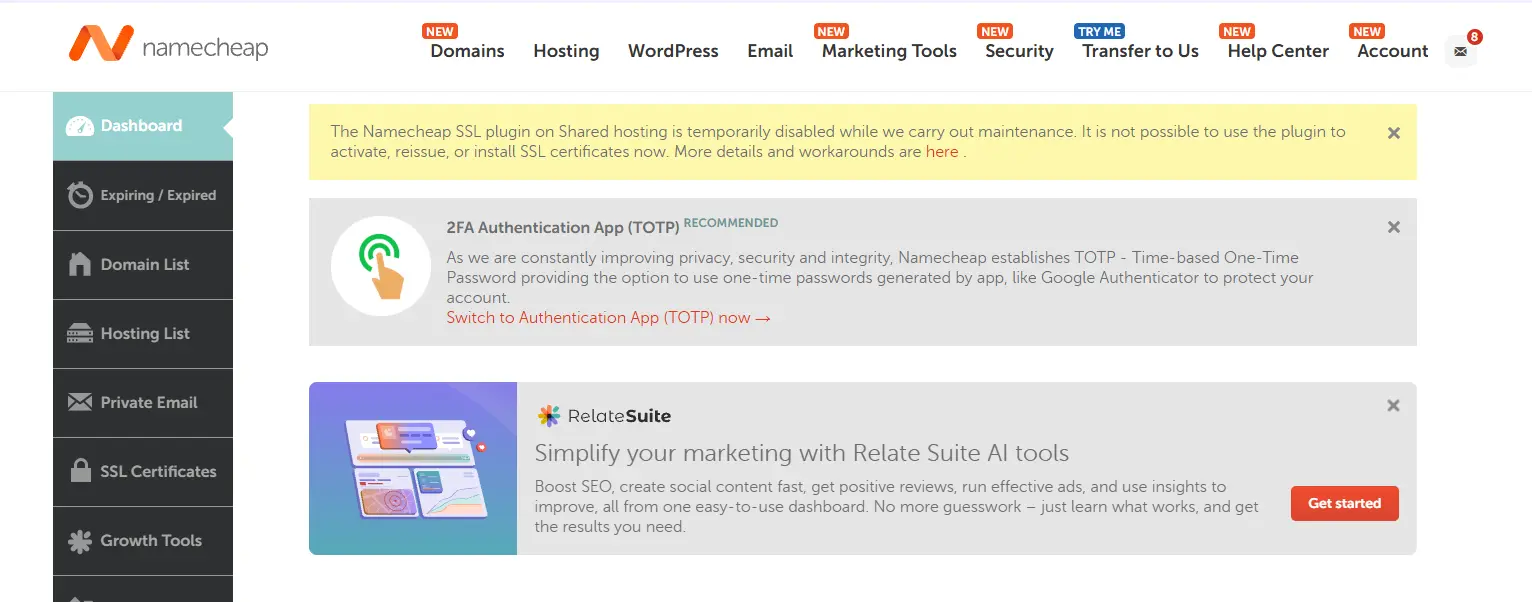
A domain is only an address. After buying one you still point it at the server: Domain List in the registrar dashboard, then nameservers or an A record under Manage. The screenshot below shows where that entry point sits.
Do you need shared hosting as well?
| Aspect | VPS | Shared hosting |
|---|---|---|
| Environment | Usually configured by you | Usually prepared by the provider |
| Control | Broader system-level permissions | Limited to what the plan exposes |
| Maintenance | You watch the OS, services and site | Provider handles more of the underlying layer |
| Decide on | Specs, network, your skills and maintenance time | Feature limits, resources, backups, terms |
No, you do not buy both. They are alternative ways to host. I tried a shared-hosting trial anyway and it produced a $26.88 charge that I had to get refunded — see What My First WordPress Site Really Cost: $12.99 to Start, $78.99 for Year One.
Two doors into the server
SSH is the command line: connect, then run commands for updates, services and logs. The control panel is a web UI for a subset of the same work. They are two interfaces to one machine, not two servers — which is exactly why my two-Nginx problem was so confusing.
So how much is a year?
| Item | My record |
|---|---|
| VPS monthly | $6 |
| VPS, 12 months at that rate | $72 |
| Domain, first year | $6.99 |
| Baseline total | $78.99 |
That $78.99 is a baseline computed from my monthly rate and first-year domain price, not an annual bill I have already settled. And the “$12.99 to start a site” figure means $6 for the first VPS month + $6.99 for the domain’s first year — not $12.99 for a whole year.
Frequently asked questions
What is a VPS in one sentence?
A virtualised server environment you can install software on and usually administer yourself, as opposed to a hosting account where the provider prepares more of the environment.
Is a VPS the same as a VPN?
No. A VPS is a server you host things on; a VPN changes the path your traffic takes. What Is a VPN? A Plain-English Explanation of the Encrypted Relay explains the latter.
What three things should a beginner decide first?
Whether you want to administer a server yourself, which region your visitors are in, and how you would restore the site if something broke.
Four components, four different symptoms
The four things separated above fail in four different places. This table is a generic first-triage aid, not a new incident report: it exists because a blank page and a wrong DNS record feel identical to a beginner even though they have nothing in common. Confirm which layer is alive before editing any config file.
| Part | What a problem looks like | First place to check |
|---|---|---|
| Domain and DNS | Address resolves to the wrong place, or not at all | Registrar nameservers and the DNS record itself |
| The VPS and SSH access | Cannot reach the machine, or a command runs in the wrong shell | Provider console, SSH target and whoami / hostname |
| nginx and PHP-FPM | 502, white screen, or a config edit that changes nothing | Service status, socket path, error.log, and whether the process reloaded |
| WordPress and the database | Site loads but content or login breaks | WordPress debug log and database credentials |
What a VPS makes you responsible for
Shared hosting hides most of this table; a VPS does not. You own service restarts, PHP version changes, log access, backups and the firewall. That is the real trade behind a low monthly figure, and it is why the eight-stage setup guide spends time on nginx and PHP-FPM rather than stopping at “install WordPress”. Two concrete maintenance examples on this site are a 502 after a PHP upgrade and a Redis service that was running but not in use. For the money side, my itemised first-year cost separates one-off from recurring lines, the buying checklist covers what to confirm before paying, and what this $6 VPS has been like to maintain is the longer-term record. The timing sample is a separate question from reliability and should not be read as one.
Where to read next
WordPress Site Setup in 8 Stages: From Domain to Launch is the full eight-stage setup walkthrough, What My First WordPress Site Really Cost: $12.99 to Start, $78.99 for Year One the itemised cost record, How to Choose a VPS for WordPress: A Checklist Before You Pay the buying checklist, and InterServer VPS for WordPress: What I Pay and What Broke what this $6 VPS has been like to maintain.